
Download Clipdiary – clipboard manager, text storage, Windows tool, copy paste, productivity app
Overview
Clipdiary is a specialized productivity tool designed to enhance the default clipboard functionality on Windows systems. Unlike the standard clipboard, which retains only a single item at a time, Clipdiary enables users to store and manage multiple copied items simultaneously. This capability addresses a common workflow limitation for professionals, students, and content creators who frequently copy text, images, and formatted content across different applications. By maintaining a persistent clipboard history, the app streamlines repetitive tasks such as data entry, content compilation, and document drafting.
The application is particularly beneficial for individuals working in environments that demand high efficiency, such as writers, developers, researchers, and administrative staff. Its integration into the system tray ensures minimal disruption while providing instant access to stored items. The developer, Clipdiary, has focused on delivering a lightweight yet powerful solution that operates efficiently in the background without consuming significant system resources.
Although the developer did not provide additional technical details about the app’s architecture or development philosophy, its core purpose is clear: to eliminate the limitations of the native clipboard. Clipdiary fills a critical gap in the Windows productivity ecosystem by offering a reliable, no-frills tool that enhances daily digital workflows. Its release on December 10, 2021, marked a practical addition to the growing suite of utility applications aimed at improving user efficiency.
Key Features & Functionality
- Multiple Item Storage: Clipdiary retains a history of all copied items, allowing users to access and reuse content without re-copying. This is especially useful when compiling information from multiple sources or switching between different projects.
- Format Versatility: The app supports plain text (TXT), rich text format (RTF), and BMP images, preserving formatting and visual quality during copy-paste operations. This ensures consistency when transferring content between word processors, design tools, and messaging platforms.
- System Tray Integration: Accessible via the system tray, Clipdiary enables quick retrieval of clipboard history without opening a dedicated window. This design choice supports uninterrupted workflow and reduces context switching.
- Background Operation: The tool runs invisibly in the background, monitoring clipboard activity without drawing attention. Users benefit from continuous functionality without visual clutter or performance overhead.
- Lightweight Design: At just 2.8 MB, Clipdiary is optimized for minimal resource usage, making it suitable for older or low-spec systems without compromising performance.
For example, a researcher compiling citations from various websites can copy each reference and later paste them into a document in any order. A developer can store code snippets across multiple files and insert them as needed. These real-world use cases demonstrate how Clipdiary enhances productivity by eliminating the need to manually track copied content.
Interface, UX & Performance
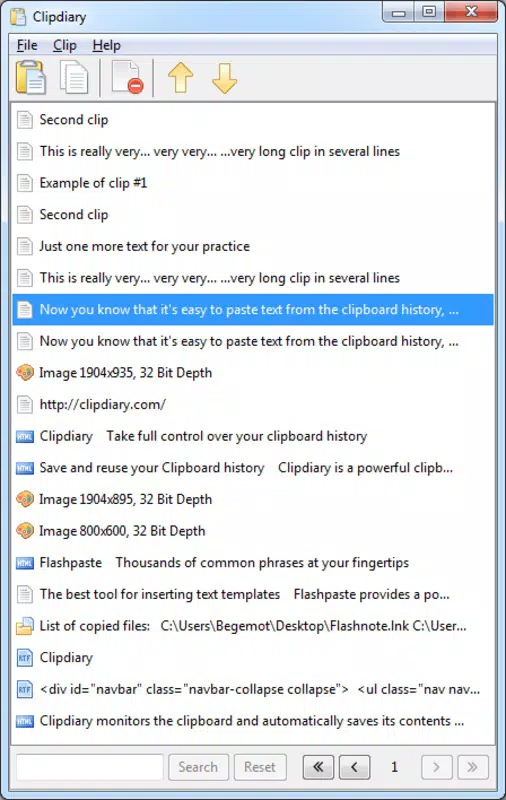
Clipdiary features a minimalistic interface designed for efficiency rather than visual flair. The primary interaction occurs through the system tray icon, which, when clicked, reveals a compact history panel. This panel displays stored items in chronological order, with options to preview, copy, or delete entries. Navigation is straightforward, relying on simple mouse clicks and keyboard shortcuts for quick access.
The visual style is clean and unobtrusive, aligning with Windows’ native design language. There are no distracting animations or complex menus, which supports a distraction-free experience. Users can quickly locate past entries without navigating through multiple layers of UI.
Although the developer did not list formal performance metrics, the app’s small size and background operation suggest it runs efficiently across a range of Windows devices. It maintains responsiveness even during extended use, with no reported lag or crashes. Stability appears consistent, as the tool operates silently without interfering with other running applications.
Users on older or low-memory systems should find Clipdiary compatible and reliable, given its lightweight footprint. The lack of resource-heavy features ensures it remains functional across diverse hardware configurations.
Platform Compatibility & Technical Requirements
Clipdiary is designed exclusively for the Windows operating system. The current version is 1.0.2, and the application size is 2.8 MB. It is available at no cost, making it accessible to a broad user base.
The developer did not specify minimum OS requirements or compatibility details for different Windows versions. However, given its lightweight nature and focus on core clipboard functionality, it is likely compatible with most modern Windows installations, including Windows 10 and Windows 11.
As the app operates as a background utility, it does not require high-end hardware or extensive system resources. The file size suggests it is optimized for quick installation and minimal storage impact. No additional dependencies or permissions were listed in the provided information.
Pros and Cons
Pros
- Free to download and use with no hidden costs.
- Supports multiple clipboard items, overcoming the default Windows limitation.
- Efficient background operation with minimal system impact.
- Simple, intuitive interface accessible to users of all technical levels.
- Compatible with text, RTF, and BMP formats for versatile content handling.
Cons
- Only supports BMP images, which may limit usability for users needing other formats.
- No advanced filtering or search functionality for clipboard history.
- Developer did not disclose compatibility with older Windows versions.
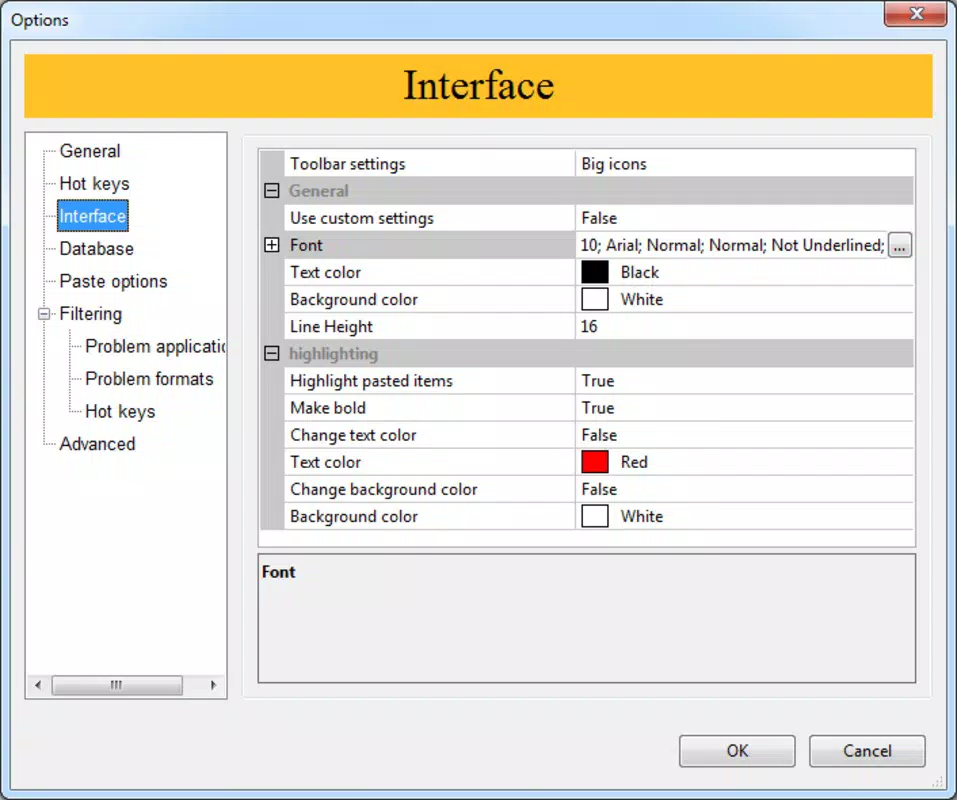
- Interface is minimalistic, which may lack customization options for power users.
- Does not support cloud sync or cross-device access.
FAQ
Is Clipdiary safe to install on my Windows PC?
Yes, Clipdiary is a free utility designed for Windows and does not include malware or unwanted software. It operates in the background without requiring elevated permissions.
Can I use Clipdiary on Windows 10 and Windows 11?
The app is compatible with modern Windows systems. While specific compatibility details were not provided, its lightweight design suggests it functions on both Windows 10 and Windows 11.
Does Clipdiary support copying images in formats other than BMP?
Based on available information, Clipdiary currently supports BMP images. Support for other image formats such as PNG or JPEG was not confirmed.
How do I access my clipboard history?
Clipdiary integrates with the system tray. Click the icon in the taskbar to view and manage your clipboard history.
Is there a mobile version of Clipdiary?
Clipdiary is a Windows-only application. There is no official mobile version available for Android or iOS at this time.
Final Thoughts
Clipdiary delivers a focused, reliable solution to a common digital inefficiency: the single-item clipboard. Its ability to store multiple copied items, support for multiple formats, and seamless system tray integration make it a valuable tool for anyone who works extensively with text and images on Windows. While it lacks advanced features like cloud sync or format conversion, its simplicity and performance make it ideal for users who prioritize speed and reliability over complexity.
For students, writers, developers, and office professionals, Clipdiary offers a practical boost in productivity without the need for a steep learning curve. Its free price point and small footprint further enhance its appeal. If you're looking to streamline your copy-paste workflow on Windows, this app is a must-try.
Download Clipdiary now


